What is an Ups Power Supply and How Does it Work?
In a world increasingly reliant on technology, the role of an UPS Power Supply has become essential. According to the latest report by MarketsandMarkets, the global UPS market is expected to surpass $15 billion by 2026. This growth highlights the critical importance of uninterrupted power in data protection and operational continuity.
Expert in the field, Dr. Emily Carter, states, “UPS Power Supplies are the backbone of modern power management systems.” Her insights emphasize how these systems guard against data loss and equipment damage during outages. While many may understand the basic function of a UPS, the nuances of its operation and selection often remain unclear.
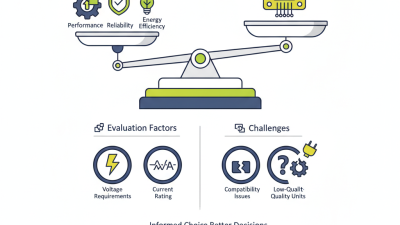
Despite the advancements, challenges persist in implementing these systems effectively. Businesses sometimes underestimate their power needs. This can lead to inadequate backup solutions. Selecting the right UPS Power Supply requires careful consideration to ensure reliability, efficiency, and scalability. In an era where continuity is paramount, understanding UPS technology is not just beneficial; it is vital.
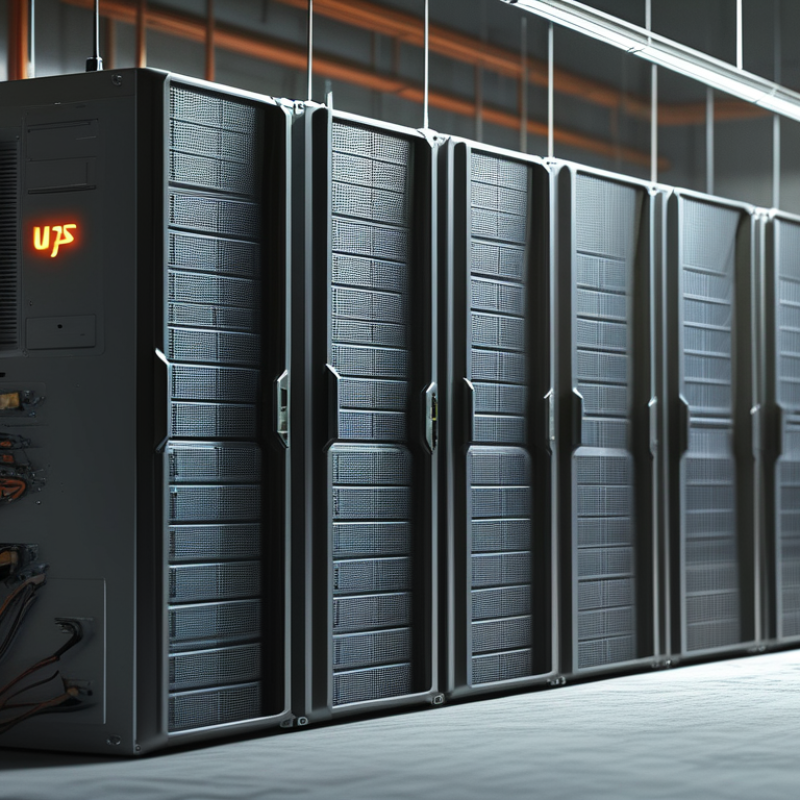
What is an Uninterruptible Power Supply (UPS)?
An Uninterruptible Power Supply (UPS) is a critical device for many businesses and households. It provides backup power during outages. According to a recent industry report, the global UPS market is projected to grow by over 6% annually, reaching approximately $10 billion by 2026. This growth is driven by the increasing need for reliable power solutions, especially in sensitive electronic equipment and data centers.
A UPS works by using a battery system to supply power when the standard electrical source fails. During a blackout, it seamlessly switches to battery power, ensuring operational continuity. In fact, the average UPS system can provide anywhere from a few minutes to several hours of backup power, which can be crucial for tasks such as saving unsaved work or performing a safe shutdown of systems. However, it is important to reflect on the maintenance of these systems. Batteries degrade over time and require regular checks and replacements.
Despite their effectiveness, many users overlook the need for periodic testing and battery replacement. This can lead to unexpected failures during outages. As studies indicate, nearly 30% of UPS users have experienced problems due to lack of maintenance. Regular training and reminders for staff can enhance overall reliability. The advantages of having a UPS can be negated if it is not properly maintained.
Key Components of a UPS Power Supply
Uninterruptible Power Supplies (UPS) are essential for protecting electronic devices. Understanding their key components helps in choosing the right model. A UPS consists of several critical parts, each serving a specific function.
The most important component is the battery. It stores energy to provide backup power. When the main power supply fails, the battery kicks in almost instantly. This ensures devices remain operational, preventing data loss. Another key part is the inverter. It converts DC power from the battery into AC power, suitable for most appliances. The efficiency of the inverter can greatly impact the performance of the UPS.
Additionally, the charging unit plays a vital role. It maintains the battery's charge, readying it for use. Some UPS systems include monitoring circuits. These circuits provide data on battery status, load levels, and even alerts for potential issues. Improperly monitored units may not provide reliable power when needed. Understanding these components allows users to make informed decisions and ensures the reliable functioning of critical devices during power interruptions.
What is an Ups Power Supply and How Does it Work? - Key Components of a UPS Power Supply
| Component |
Description |
Function |
| Battery |
Stores energy for backup power. |
Provides power during outages or disturbances. |
| Inverter |
Converts DC power from the battery to AC power. |
Supplies usable power to connected devices. |
| Rectifier |
Converts AC power from the mains to DC for battery charging. |
Ensures the battery is charged when mains power is available. |
| Surge Protector |
Protects against voltage spikes. |
Prevents damage to connected equipment. |
| Control Circuit |
Manages the UPS operation. |
Controls charging, discharging, and switching between power sources. |
How Does a UPS Function During Power Outages?
During power outages, an Uninterruptible Power Supply (UPS) serves as a critical lifeline. A UPS consists of a battery and inverter system. When the main power fails, it automatically switches to battery power. This transition usually takes milliseconds, ensuring devices remain operational during blackouts. According to a report by the Institute of Electrical and Electronics Engineers (IEEE), a significant portion of data loss occurs during power interruptions. Studies indicate that without a reliable UPS, 60% of organizations experience downtime due to power issues.
A UPS not only provides backup power but also conditions the electrical supply. This is crucial for sensitive equipment like servers and medical devices. A UPS can filter surges and spikes, preventing damage to connected devices. The National Institute of Standards and Technology (NIST) emphasizes the importance of using high-quality UPS equipment, especially in environments where data integrity is vital. However, not all UPS systems are created equal, and selecting the appropriate one requires careful consideration of specific needs.
To ensure the UPS operates effectively, conduct regular maintenance. Periodic battery checks are essential, as batteries degrade over time. Make sure airflow around the UPS is unobstructed. Additionally, test your UPS under load to ensure it operates correctly during power failures. These steps can prevent malfunctions and extend the life of your system.
UPS Power Supply Functionality During Power Outages
This chart illustrates key specifications of an Uninterruptible Power Supply (UPS) during power outages, including its battery capacity, runtime, output power, and protection type.
Different Types of UPS Systems and Their Applications
When it comes to uninterruptible power supplies (UPS), understanding the different types can be crucial for selecting the right one. There are mainly three types of UPS systems: offline, online, and line-interactive. Each serves distinct purposes and is suitable for various applications.
Offline UPS systems are the most basic. They provide power only when the main supply fails. This type is ideal for home use or small offices with minimal power needs. Online UPS systems offer continuous power without any interruption. They change AC to DC and back to AC. This is beneficial for critical systems where power quality is essential, like data centers. Line-interactive UPS systems combine features of both types. They stabilize voltage fluctuations without switching to battery, making them great for environments with unstable power conditions.
Choosing among these systems requires careful consideration. Each type has benefits and limitations. An offline UPS might save costs but can leave critical equipment exposed during brief outages. An online system costs more but greatly enhances reliability. Users should reflect on their specific needs and environments. Balancing cost, reliability, and application can lead to better choices.
Advantages of Using a UPS Power Supply for Critical Equipment
A UPS power supply serves a critical role in safeguarding sensitive equipment. It provides backup power during outages, ensuring continuity. This is essential for devices like computers, servers, and medical equipment. The uninterrupted power supply (UPS) maintains a steady voltage. It protects your equipment from surges and brownouts. Without a UPS, your devices may face unexpected shutdowns. This can lead to data loss or hardware failure.
Using a UPS has several advantages. It enhances equipment reliability by preventing damage due to power fluctuations. Additionally, a UPS allows for safe shutdowns. This is vital in industries where data integrity is non-negotiable. Some may overlook the importance of regular maintenance. A UPS requires periodic checks to ensure optimal performance. Neglecting this can lead to failures when you need it most.
Investing in a UPS is a proactive measure. It offers peace of mind knowing your critical systems are protected. However, it’s important to choose the right size and type for your needs. Not all UPS systems are created equal. Research is crucial to make an informed decision tailored to specific requirements.

 Products
 News
News
 Whatsapp
 Skype
Skype
 Wechat