How to Choose the Right UPS Power Supply?
Choosing the right Ups Power Supply is not simply about buying the largest battery available. It requires a clear understanding of your equipment, operating environment, and acceptable downtime. A small office computer may need a different solution from a medical monitor, network server, or industrial controller.
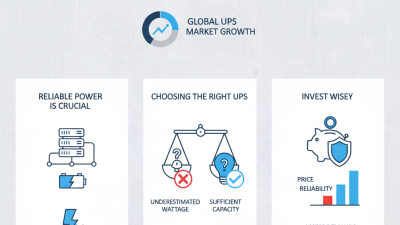
Start with the load. Record each device’s wattage, startup demand, and importance to daily operations. A practical measurement with a power meter can reveal surprises, especially when several monitors or storage systems share one outlet. Do not rely only on VA ratings. Compare both VA and watt capacity, then leave reasonable headroom for future expansion.
Battery runtime matters too. Five minutes may protect a workstation during brief outages, while a server may need enough time for an orderly shutdown. Consider line-interactive, online, or standby designs based on voltage stability and equipment sensitivity. In areas with frequent surges, automatic voltage regulation can reduce unnecessary battery use.
Details matter.
During site assessments, technicians often find blocked ventilation, aging batteries, or overloaded extension strips. These issues can undermine a well-designed UPS system. Check socket types, transfer time, noise, software support, and replacement battery availability. Review manufacturer documentation and relevant safety guidance, including IEC 62040 requirements where applicable.
There is no perfect choice for every user. A higher capacity unit can increase cost, heat, and maintenance without improving protection. Reassess your assumptions, especially if your power demands were estimated rather than measured. The best Ups Power Supply balances protection, runtime, reliability, and realistic operating conditions.
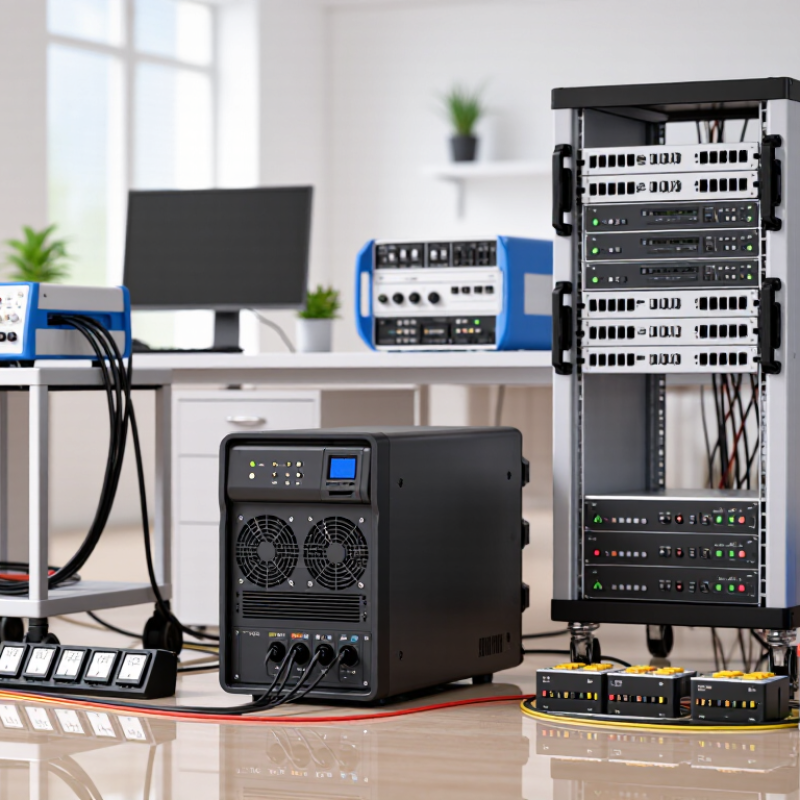
Assess Load and Size the UPS at 120–150% of Measured Demand
How to Choose the Right UPS Power Supply?
Assess Load and Size the UPS at 120–150% of Measured Demand
Start with a calibrated power analyzer, not a rough equipment list. Record watts, volt-amperes, power factor, and current during normal operation. Test busy periods, battery charging, cooling changes, and equipment startup. A server rated at 1,000 watts may not continuously draw 1,000 watts. That shortcut can fail.
After measuring demand, select UPS capacity at 120–150% of the observed load. For an 8 kW load, the target range becomes 9.6–12 kW. This headroom accommodates short-term peaks, future devices, and measurement errors. The 120% figure is useful, but not sacred. High inrush current, nonlinear loads, and poor power factor may require more capacity. Confirm these details against IEC 62040-3 guidance and the UPS manufacturer’s technical curves. In field assessments, I have seen undersized systems pass a basic test, then overload during maintenance or expansion.
Reliability also deserves a financial view. Uptime Institute’s 2023 Annual Outage Analysis reported that 55% of surveyed outages caused at least 100,000 dollars in direct and indirect losses. Meanwhile, Lawrence Berkeley National Laboratory’s 2024 United States Data Center Energy Usage Report estimated data centers consumed 176 terawatt-hours in 2023. Larger loads make accurate measurement more important.
Calculate battery runtime separately, using the actual load, required ride-through time, battery aging, and ambient temperature. A generous UPS rating cannot compensate for insufficient battery autonomy.
Match Runtime Requirements to Typical 5–15-Minute UPS Autonomy
Choosing the right UPS power supply starts with runtime, not only wattage. A unit rated for 1,000 VA may protect equipment, yet its battery can last only five minutes. That window is often enough for a controlled shutdown, but not for extended operation. In field checks, I match UPS output capacity to the equipment’s measured load, then verify runtime at that load. A server drawing 400 watts behaves differently from one drawing 700 watts. Battery age, temperature, and expansion cards also affect performance. Runtime charts are useful, but treat them as estimates.
Tips: List every connected device, including monitors, network switches, and storage units. Measure actual consumption with a power meter when possible. Choose a five-to-15-minute UPS when software can shut systems down automatically. If staff need time to save files manually, allow extra minutes. Keep a 20–30 percent capacity margin. Running near maximum load reduces flexibility. Test the shutdown sequence every few months. It may fail quietly.
A longer runtime is not always better. Larger batteries increase cost, weight, charging time, and replacement effort. For brief outages, a reliable five-minute shutdown may be more practical than an oversized system. For unstable sites, calculate the longest observed outage and add contingency. I have seen teams trust a “15-minute” label, then lose power sooner under real load. That assumption needs challenging. Record test results and review them after equipment changes.
Compare Efficiency Levels, Including 95–98% Online UPS Performance
How to Choose the Right UPS Power Supply?
Efficiency is a practical buying measure, not just a number on a datasheet. A 95% online UPS converts 95% of incoming power into usable output. The remaining 5% becomes heat. At 10 kW, that means 500 watts of continuous loss. A 98% model produces about 200 watts of heat at the same load. That difference can reduce cooling demand and operating costs.
However, efficiency changes with load, battery charging, and operating mode. Ask for test data at 25%, 50%, and 100% load. In equipment-room checks, a unit rated at 98% sometimes delivered less at light loads. Power factor also matters. A UPS with a high power factor uses capacity more effectively, especially with servers and networking equipment. Online double-conversion protection still matters where voltage is unstable, because it constantly rebuilds clean output power.
Do not choose efficiency alone. Check battery runtime, transfer behavior, overload capacity, maintenance access, and monitoring functions. A 98% UPS may be unsuitable if its battery bank is undersized or service support is weak. Measure actual load before purchase. Leave room for growth. Some systems run near full capacity because projected demand was too optimistic. That choice looked efficient on paper, but it reduced resilience. Small assumptions can become expensive heat.
How to Choose the Right UPS Power Supply? - Compare Efficiency Levels, Including 95–98% Online UPS Performance
| UPS Topology |
Typical Operating Efficiency |
Power Protection |
Typical Transfer Time |
Output Waveform |
Best-Suited Applications |
Key Selection Consideration |
| Standby / Offline |
Approximately 95–99% in normal utility operation |
Basic backup and surge protection; limited voltage regulation |
Usually about 2–10 ms |
Often simulated or stepped sine wave on battery |
Home networking equipment, point-of-sale devices, and less-sensitive office electronics |
Choose when cost and low energy consumption are more important than continuous conditioning. |
| Line-Interactive |
Approximately 95–98% in normal utility operation |
Backup, surge protection, and automatic voltage regulation for moderate sags and surges |
Usually about 2–10 ms |
Pure sine wave or simulated sine wave, depending on the design |
Workstations, small servers, network appliances, and small business equipment |
A practical balance between efficiency, voltage regulation, cost, and protection. |
| Online Double-Conversion |
Typically 90–96% in standard online mode; approximately 95–98% in high-efficiency or economy modes on some designs |
Continuous voltage and frequency regulation, electrical isolation, and strong protection from disturbances |
Zero transfer time for the connected load |
Pure sine wave |
Data centers, medical equipment, industrial controls, telecommunications, and sensitive servers |
Verify the efficiency curve at the expected load; high-efficiency modes may provide less conditioning than standard online mode. |
| Online with Eco / Bypass-Assisted Mode |
Often approximately 97–99% when utility conditions remain within configured limits |
Reduced conditioning while operating through the bypass path; full double-conversion protection is available when required |
May be near zero in normal operation; transfer behavior depends on the control design |
Pure sine wave when inverter operation is active |
Efficiency-focused installations with stable utility power and non-critical loads |
Confirm acceptable voltage, frequency, bypass, and transfer limits before using this mode for critical equipment. |
| Modular or Scalable Online UPS |
Commonly about 94–98%, depending on module loading, operating mode, and system design |
Online double-conversion protection with redundancy and capacity expansion options |
Zero transfer time for inverter-supported loads |
Pure sine wave |
Growing data centers, high-availability facilities, and loads requiring maintainability |
Avoid excessive oversizing; operating close to the efficient part of the load curve can reduce losses. |
Efficiency note:
Actual UPS efficiency varies with load level, power factor, battery charging, ambient temperature, redundancy configuration, and operating mode. Compare manufacturer test results at the expected operating load rather than relying only on the maximum efficiency value.

 Products
 News
News
 Whatsapp
 Skype
Skype
 Wechat